# Backend: HTTP(s)

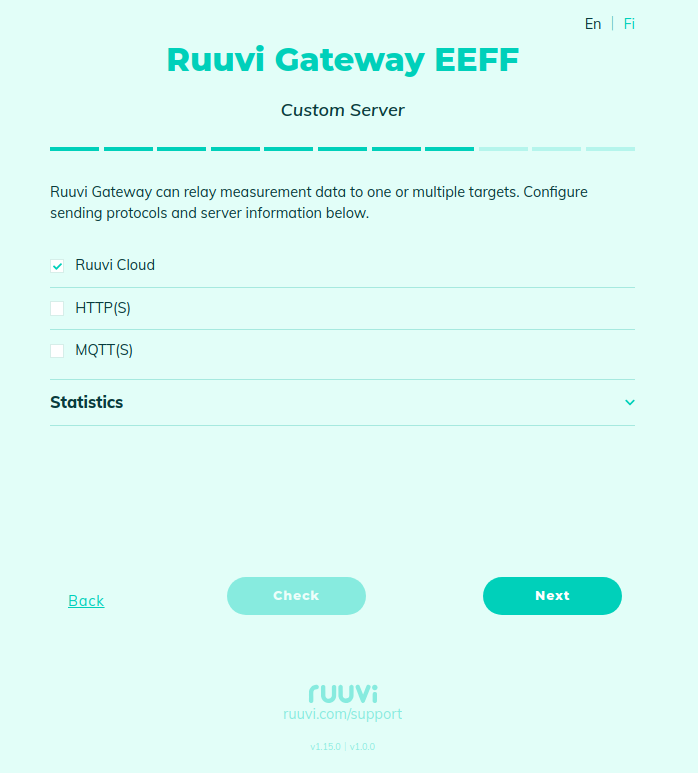
You can enable or disable sending data to Ruuvi Cloud:

<figure><img src="https://1423309131-files.gitbook.io/~/files/v0/b/gitbook-x-prod.appspot.com/o/spaces%2F-LsPjfnhNj3v37AZtF-d%2Fuploads%2Fgit-blob-3a65d80674d8857efeeb6302817dd8c25e765843%2FScreenshot%20from%202023-12-13%2008-56-59.png?alt=media" alt=""><figcaption></figcaption></figure>

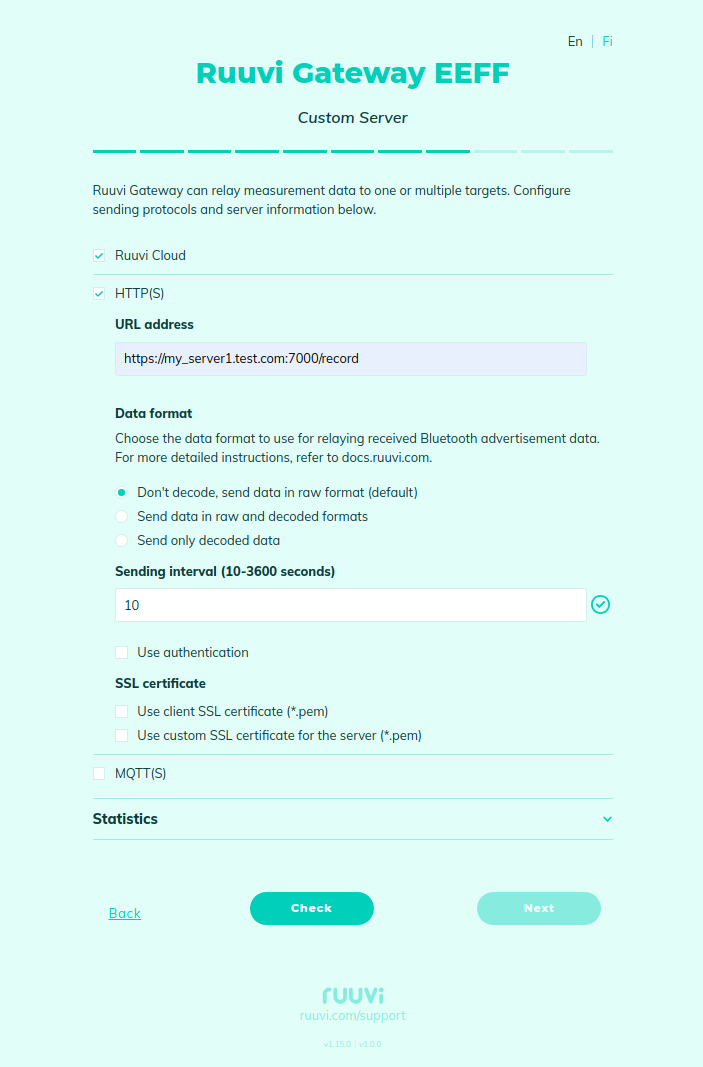
Or configure to send data to your own server via HTTP/HTTPS (it is possible to send data to both destinations, Ruuvi Cloud and your own server, at the same time):

<figure><img src="https://1423309131-files.gitbook.io/~/files/v0/b/gitbook-x-prod.appspot.com/o/spaces%2F-LsPjfnhNj3v37AZtF-d%2Fuploads%2Fgit-blob-f91825c0d2b7b3cb395df3ff6562ae4b8c175136%2FScreenshot%20from%202023-12-19%2021-32-09.png?alt=media" alt=""><figcaption></figcaption></figure>

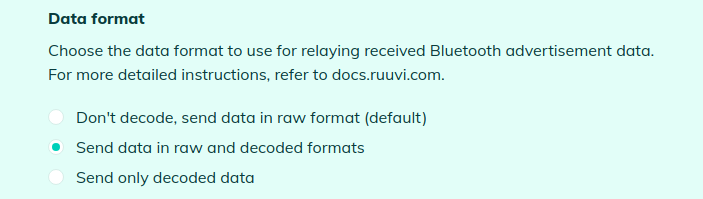
For your own server, you can choose the data format and decode data from Ruuvi sensors on the Gateway side:

<figure><img src="https://1423309131-files.gitbook.io/~/files/v0/b/gitbook-x-prod.appspot.com/o/spaces%2F-LsPjfnhNj3v37AZtF-d%2Fuploads%2Fgit-blob-c981e8281de4ff5da6cd2858f5985bb3f5b9763a%2FScreenshot%20from%202023-12-19%2021-32-54.png?alt=media" alt=""><figcaption></figcaption></figure>

Configure sending interval:

<figure><img src="https://1423309131-files.gitbook.io/~/files/v0/b/gitbook-x-prod.appspot.com/o/spaces%2F-LsPjfnhNj3v37AZtF-d%2Fuploads%2Fgit-blob-975298a152456cf0db3e30af7bc06120a42a433f%2FScreenshot%20from%202023-12-13%2009-02-17.png?alt=media" alt=""><figcaption></figcaption></figure>

### Use different types of authentication

#### Configuring Basic Authentication

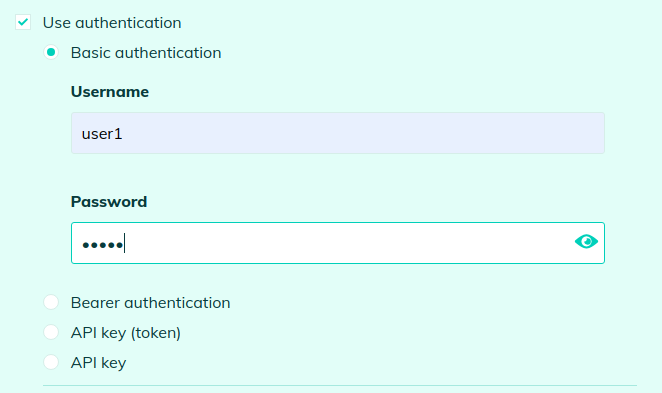
When using "Basic" authentication, the gateway adds an authorization header to the HTTPS request. This header contains the credentials encoded in Base64 format.

<figure><img src="https://1423309131-files.gitbook.io/~/files/v0/b/gitbook-x-prod.appspot.com/o/spaces%2F-LsPjfnhNj3v37AZtF-d%2Fuploads%2Fgit-blob-9ced5caf5ae8a04b48d07503513920cc010cfe59%2FScreenshot%20from%202024-05-08%2015-45-19.png?alt=media" alt=""><figcaption></figcaption></figure>

HTTP Header Example:\
`Authorization: Basic dXNlcjE6cGFzczE=`

Explanation:

* `Basic`: Indicates the authentication method.
* `dXNlcjE6cGFzczE=`: Base64 encoded credentials. For example, 'user1:pass1' encodes to 'dXNlcjE6cGFzczE='.

#### Configuring Bearer Authentication

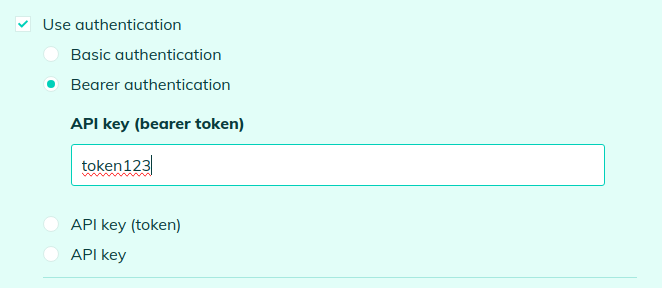
When using "Bearer" authentication, the gateway adds an authorization header with a token to the HTTPS request. This token is a credential used to access APIs securely.

<figure><img src="https://1423309131-files.gitbook.io/~/files/v0/b/gitbook-x-prod.appspot.com/o/spaces%2F-LsPjfnhNj3v37AZtF-d%2Fuploads%2Fgit-blob-2e9fe7da681bde6c9780708d59f5ac911728f138%2FScreenshot%20from%202024-05-08%2015-46-10.png?alt=media" alt=""><figcaption></figcaption></figure>

HTTP Header Example:

`Authorization: Bearer token123`

#### Configuring Token-Based Authentication

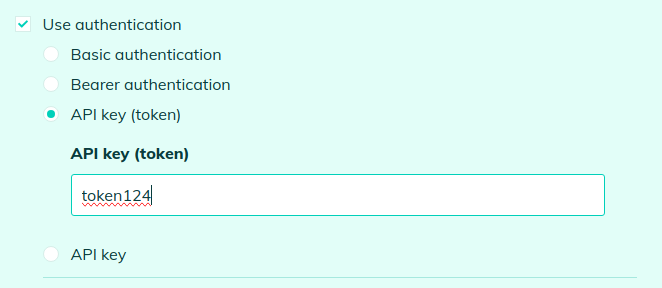
Token-based authentication involves securing API requests by sending a token in the HTTP header. The token is a unique identifier that must be included in every request.

<figure><img src="https://1423309131-files.gitbook.io/~/files/v0/b/gitbook-x-prod.appspot.com/o/spaces%2F-LsPjfnhNj3v37AZtF-d%2Fuploads%2Fgit-blob-8a6f51617ea5b8d44da0a503ce121b1e04d7a510%2FScreenshot%20from%202024-05-08%2015-46-36.png?alt=media" alt=""><figcaption></figcaption></figure>

HTTP Header Example:

`Authorization: Token token124`

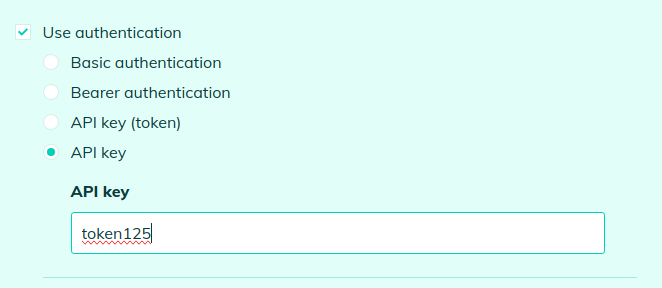
#### Configuring API Key Authentication

API key authentication is a simple method where an API key is used directly as part of the HTTP header to authenticate requests.

<figure><img src="https://1423309131-files.gitbook.io/~/files/v0/b/gitbook-x-prod.appspot.com/o/spaces%2F-LsPjfnhNj3v37AZtF-d%2Fuploads%2Fgit-blob-4980619ebf4a9882bf734a1e507098a9dfdd0375%2FScreenshot%20from%202024-05-08%2015-46-57.png?alt=media" alt=""><figcaption></figcaption></figure>

HTTP Header Example:

`Authorization: token125`

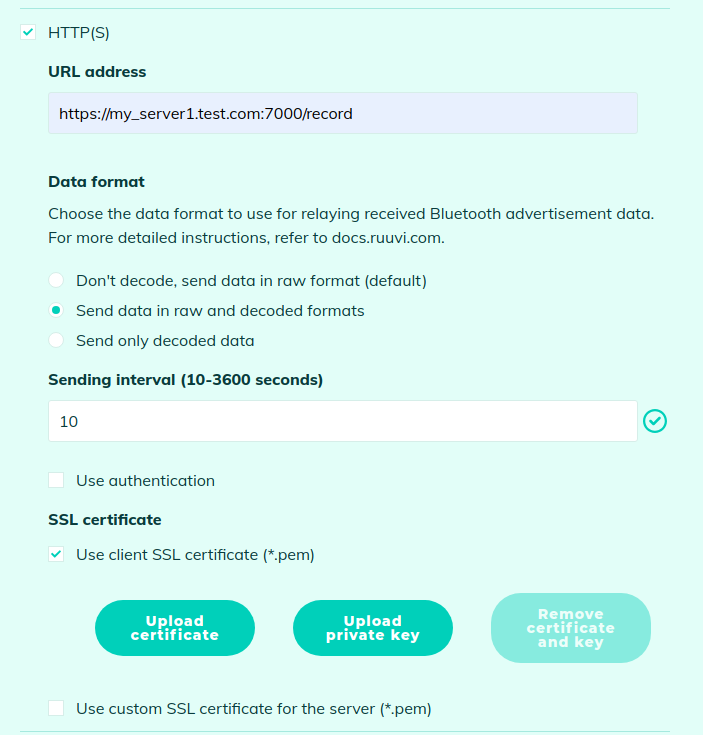
#### Enhanced Security with SSL Client Authentication

It also supports client authentication via SSL by enabling the upload of a client certificate and its associated private key, ensuring secure and verified client-server communication:

<figure><img src="https://1423309131-files.gitbook.io/~/files/v0/b/gitbook-x-prod.appspot.com/o/spaces%2F-LsPjfnhNj3v37AZtF-d%2Fuploads%2Fgit-blob-7659bf0802fcdae292aa6c3b0bbed1892c0f9177%2FScreenshot%20from%202023-12-19%2021-33-50.png?alt=media" alt=""><figcaption></figcaption></figure>

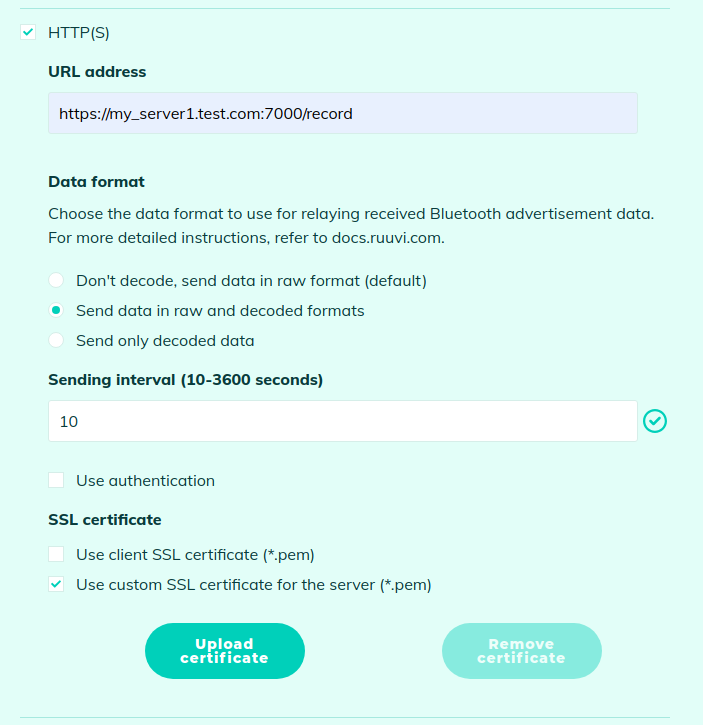
You can use a server SSL Certificate if you want to be independent of public Certificate Authorities (CAs) or if you have deployed a self-signed certificate on the HTTPS server, giving you greater control and customization over your security infrastructure:
<figure><img src="https://1423309131-files.gitbook.io/~/files/v0/b/gitbook-x-prod.appspot.com/o/spaces%2F-LsPjfnhNj3v37AZtF-d%2Fuploads%2Fgit-blob-88ac106f82d0c47f877bb2cc5cc3293d6ff441d4%2FScreenshot%20from%202023-12-19%2021-34-43.png?alt=media" alt=""><figcaption></figcaption></figure>