> For the complete documentation index, see [llms.txt](https://docs.ruuvi.com/llms.txt). Markdown versions of documentation pages are available by appending `.md` to page URLs; this page is available as [Markdown](https://docs.ruuvi.com/ruuvi-gateway-firmware/examples/firmware-update-via-api.md).
# Firmware update via API
You can run a firmware update from a specified URL programmatically, using bearer authentication.
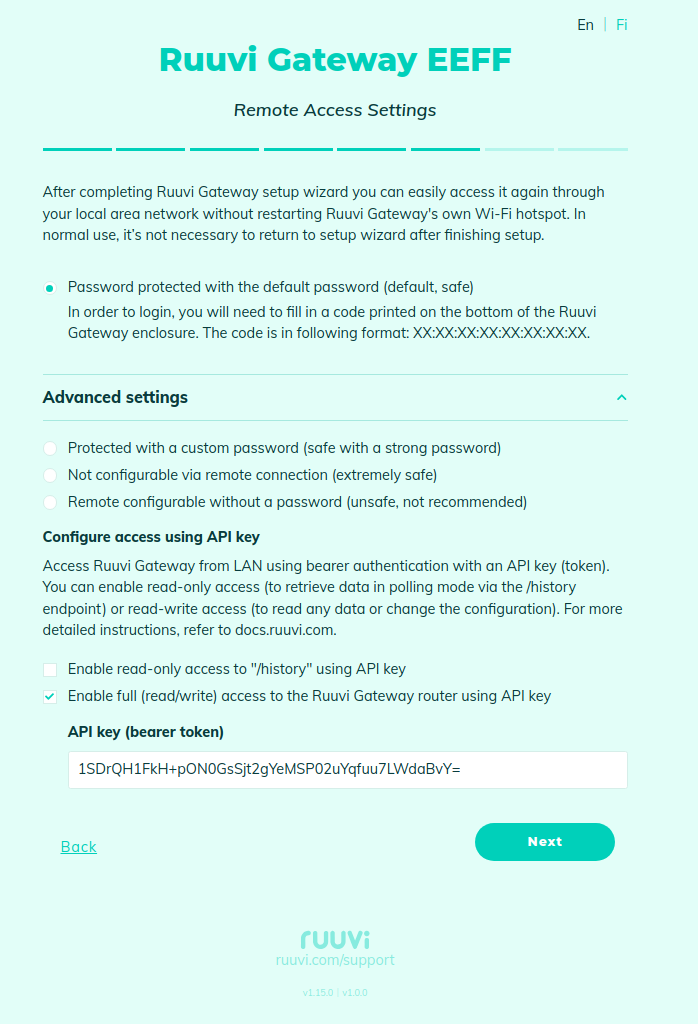
On the "Access Settings" page, enable full access using bearer authentication and set the API-key:
Example of a command to run a firmware update from the URL: ""
```shell
curl -v http:///fw_update.json
-H "Authorization: Bearer 1SDrQH1FkH+pON0GsSjt2gYeMSP02uYqfuu7LWdaBvY="
-H 'Content-Type: application/json'
-d '{"url":"https://my_server.com:7000/gw_firmware/"}'
```